The Box Postman Collection uses an Access Token to authenticate API
requests on your behalf. Access tokens expire after 1 hour and must be
refreshed.
Using a refresh token
If you configured a Box App in
of the Postman
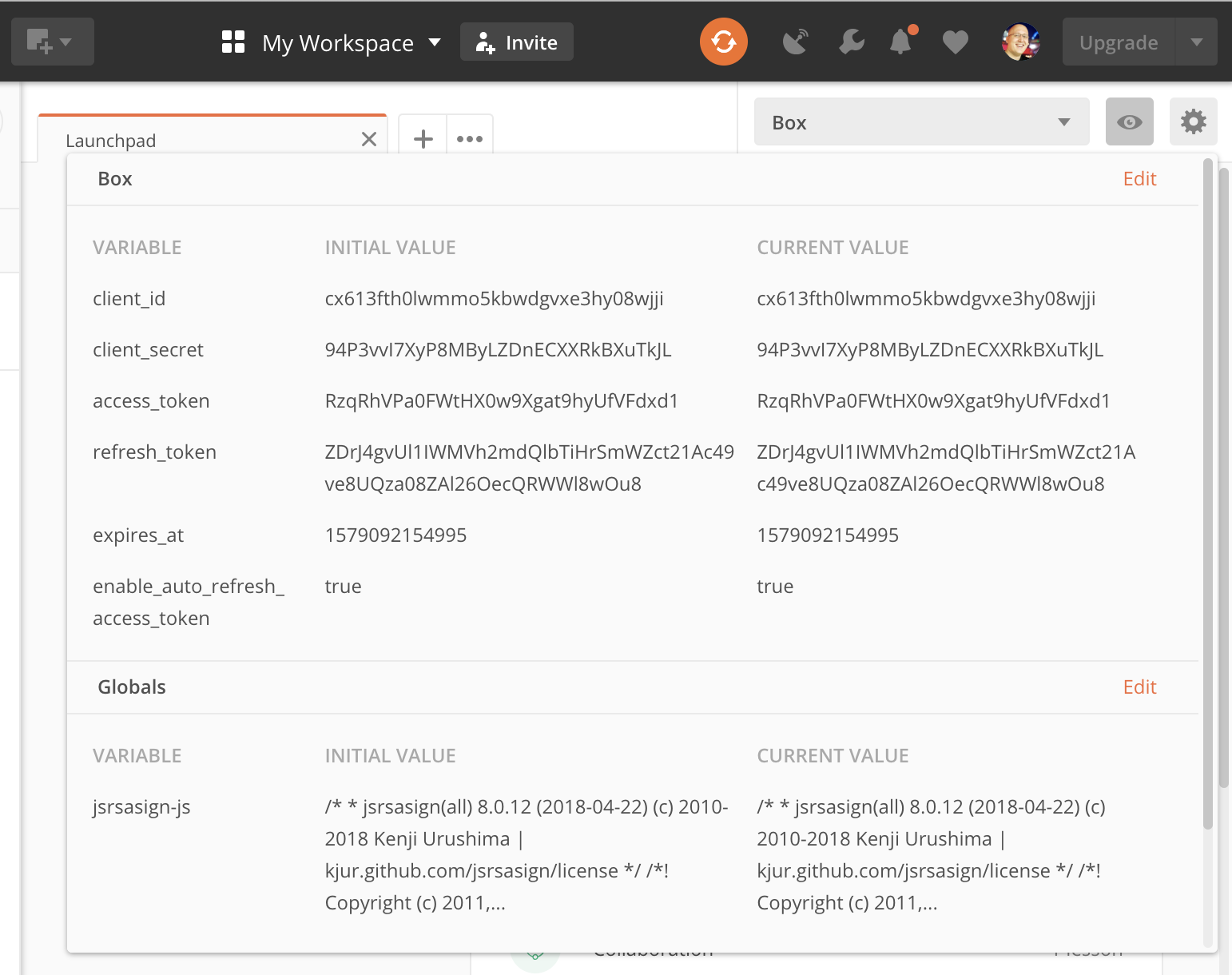
quickstart, your Box environment should contain a valid client_id and
client_secret. Together with the refresh_token, these can be used to
obtain a new access_token.
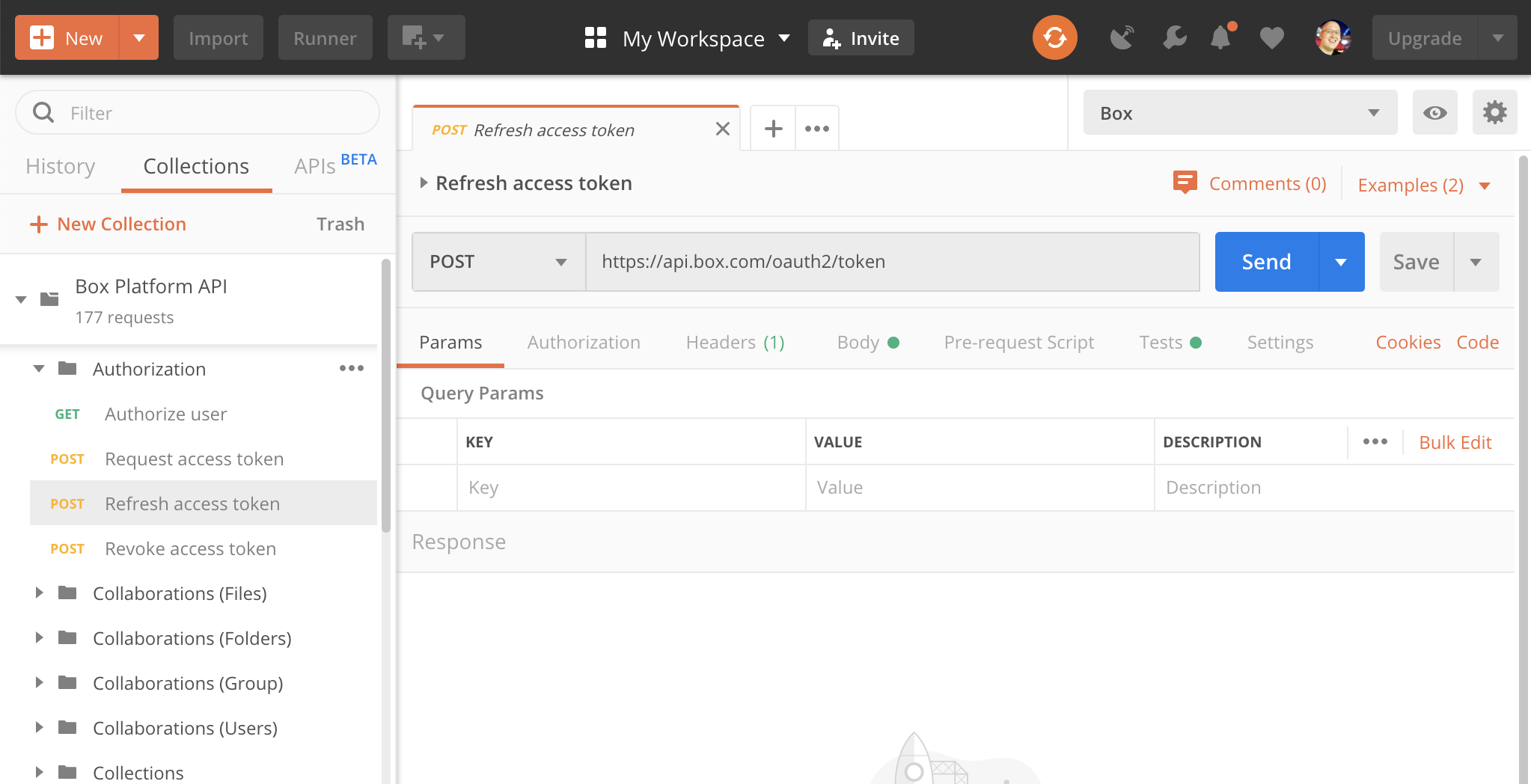
To refresh the access token, open the Authorization folder in the Box
Postman Collection and select Refresh access token.
Click Send.
When successful, your environment is updated with a new access_token and
refresh_token, and you can resume making API calls.
Refresh tokens are single-use and expire after 60 days of inactivity. Each
time you use a refresh token, a new one is issued and the 60-day window
resets.If a refresh token expires, you need to obtain a new token pair by going
through the again.
Automatic token refresh
The Box Postman Collection can automatically detect an expired access_token
and refresh it before sending your request. This feature is enabled by
default.
To toggle it, edit your Box Postman environment and set the
enable_auto_refresh_access_token variable to true or false.
When enabled, the collection checks whether your access_token has expired
before each API call and refreshes it automatically if needed.
Re-authenticating
If your refresh_token has expired, typically because the collection hasn’t
been used in over 60 days, you need to re-authenticate by repeating the
.
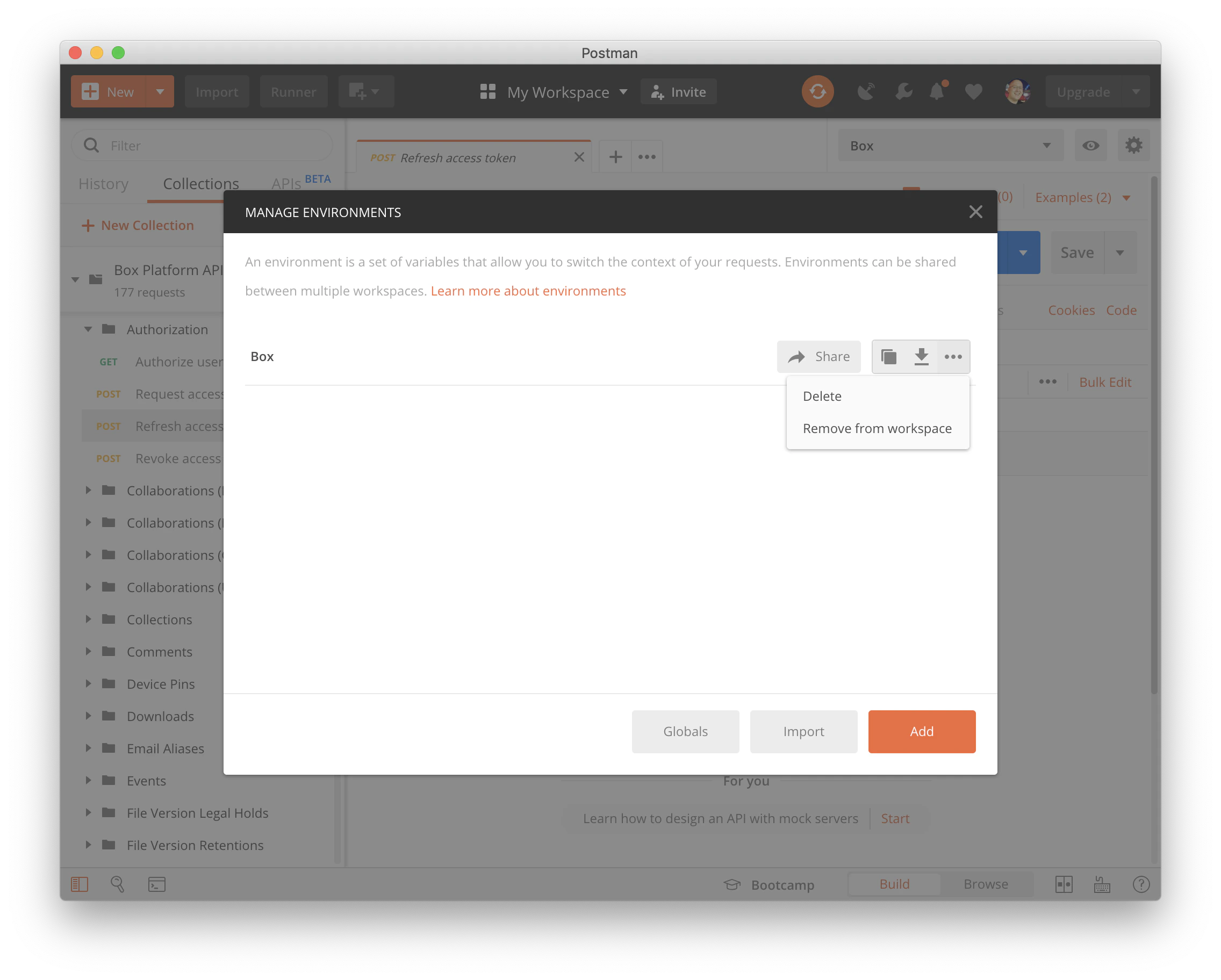
Before restarting, delete your existing Box Postman environment. Click
the gear icon in the top right, select your environment, and click
Delete.
Then follow the from the beginning.
When re-importing the Box Postman Collection, Postman may ask whether to
import it as a copy or replace the existing one. Importing as a copy
preserves any custom changes you have made to API requests.