Prerequisites
To set up a Platform App using server-side authentication, you need to ensure you have access to the Developer Console from your Box enterprise account. Alternatively, you may sign up for a developer account.App creation steps
Create a Server Authentication app
- Log into Box and go to the Developer Console.
- Click New App.
- Select Server as the app type.
- Click Create.
When switching is enabled, you can change to
at any time from the
Configuration tab. See
for details.
App Authorization
Server authentication applications must be authorized before use. The authorization process depends on your account type. Free developer accounts: Your app is automatically authorized when you create it. If authorization did not complete, the Configuration tab displays a prompt to authorize the app. Enterprise accounts: After you create the app, the Configuration tab prompts you to submit the app for admin approval. Enterprise admins and co-admins: The Configuration tab lets you authorize the app directly after creation.Learn more about the authorization process
Basic configuration
Application Access
An application’s access level determines which users and content your app may access. By default, an application can only successfully interact with the content of its and any . To also access existing Managed Users of an enterprise, navigate to the App Access Level setting on the Configuration tab of the Developer console and set to App + Enterprise Access.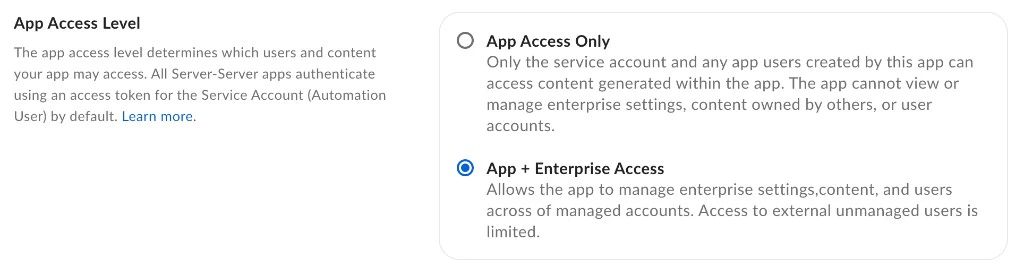
To authenticate as a Managed User or Admin, enable Generate User Access Tokens in the Additional Configuration section of the Configuration tab.
Application Scopes
An application’s scopes determine which endpoints and resources an application can successfully call. See the for detailed information on each option.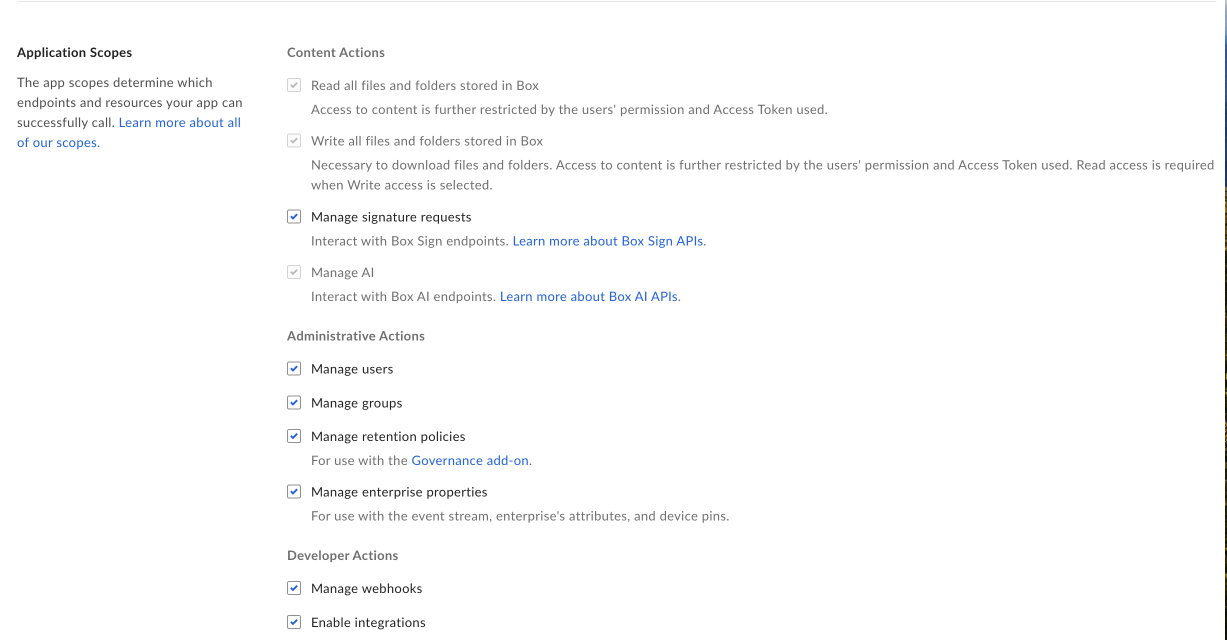
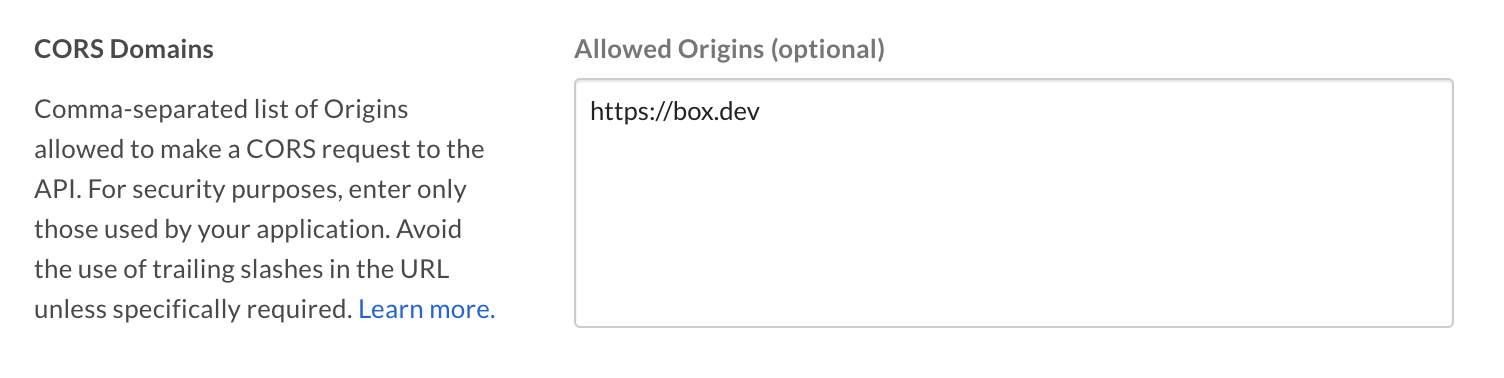
CORS Domains
If your application makes API calls from front-end browser code in Javascript, the domain that these calls are made from needs to be added to an allow-list due to Cross Origin Resource Sharing, also known as CORS. If all requests are made from server-side code, you may skip this section. To add the full URI(s) to the allow-list, navigate to the CORS Domain section at the bottom of the Configuration tab in the Developer console.